
Dashboard
The Dashboard provides a comprehensive overview of your school's status, key metrics, and quick access to common administrative tasks.
Overview
When you log in, the Dashboard displays:
- Key metrics - Student count, staff count, attendance
- Financial summary - Fee collection status
- Recent activity - Latest system actions
- Alerts - Items requiring attention
- Quick actions - Common admin tasks
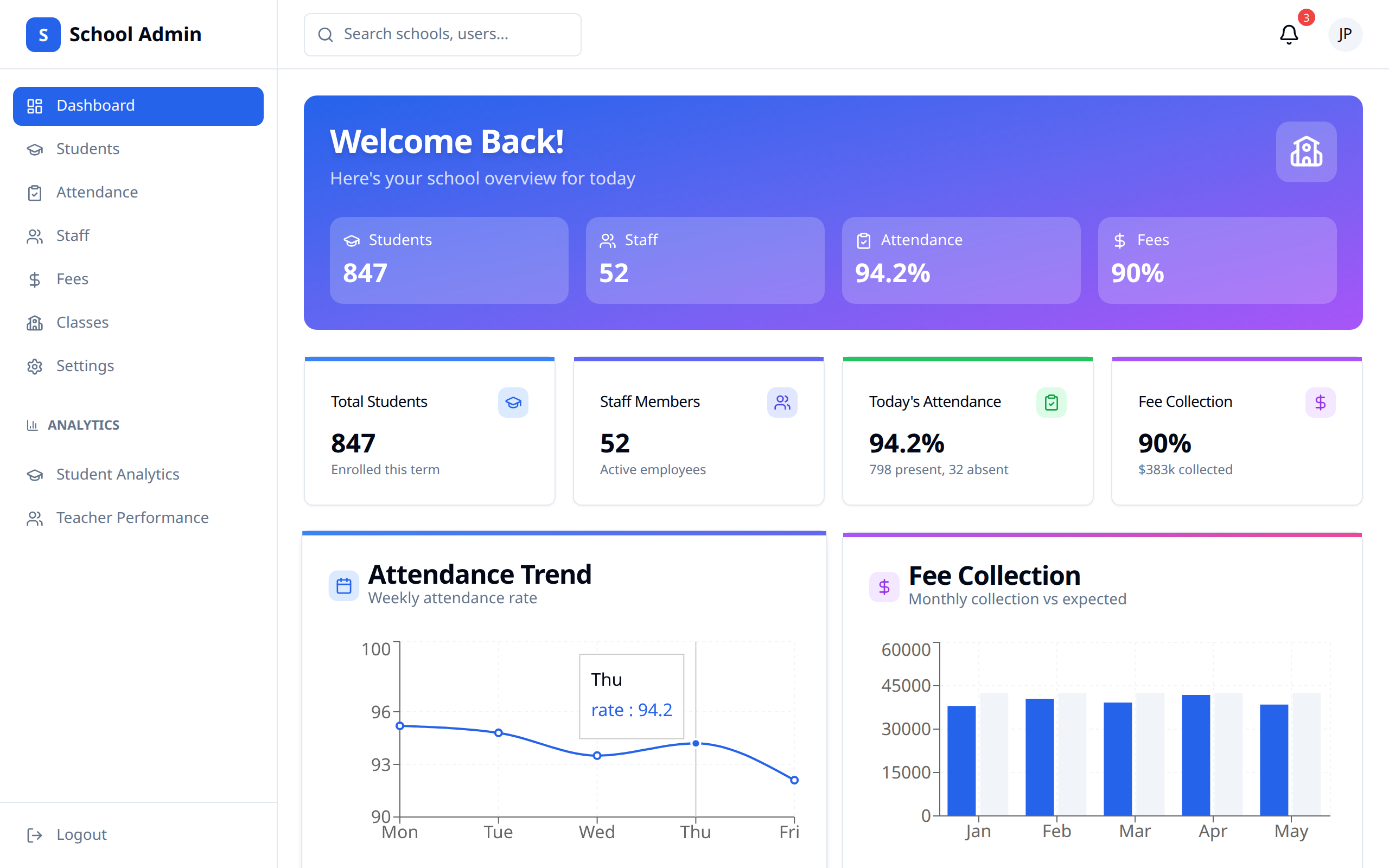
Dashboard Sections
School Metrics
At-a-glance statistics:
| Metric | Description |
|---|---|
| Total Students | Enrolled student count |
| Total Staff | Teachers and staff |
| Total Classes | Number of classes |
| Attendance Today | Current day's attendance rate |
Financial Overview
Fee collection status:
- Total fees expected
- Amount collected
- Outstanding balance
- Collection rate percentage
Attendance Summary
School-wide attendance:
- Today's attendance rate
- Weekly trend
- Classes with low attendance
- Staff attendance
Recent Activity
Latest actions in the system:
- New student enrollments
- Staff additions
- Fee payments received
- Grade updates
Alerts and Notifications
Items requiring attention:
| Alert Type | Description |
|---|---|
| Low Attendance | Classes below threshold |
| Pending Approvals | Items awaiting review |
| Overdue Fees | Students with late payments |
| System Notices | Important updates |
Quick Actions
Shortcuts to common tasks:
| Action | Description |
|---|---|
| Add Student | Enroll a new student |
| Add Staff | Add new teacher/staff |
| View Reports | Access analytics |
| Manage Fees | Fee administration |
Dashboard Widgets
Customizing Dashboard
You may be able to:
- Rearrange widgets
- Show/hide sections
- Set preferred view
Available Widgets
- Enrollment statistics
- Attendance charts
- Fee collection progress
- Performance metrics
- Calendar events
Using the Dashboard Effectively
Daily Review
Start each day by checking:
- Today's attendance
- New alerts or notifications
- Recent activity
- Pending tasks
Weekly Review
Weekly, review:
- Attendance trends
- Fee collection progress
- Performance metrics
- Staff and student changes
Monthly Tasks
Monthly, examine:
- Detailed analytics
- Financial reports
- Attendance reports
- System performance
Tips
- Check daily - Start with dashboard review
- Address alerts - Handle issues promptly
- Monitor trends - Watch for patterns
- Use quick actions - Save time on common tasks
- Stay informed - Review activity regularly