
Attendance
The Attendance section helps you monitor your class attendance, ensuring you maintain good standing and don't miss important sessions.
Accessing Attendance
- Click "Attendance" in the sidebar navigation
- Your attendance records will be displayed
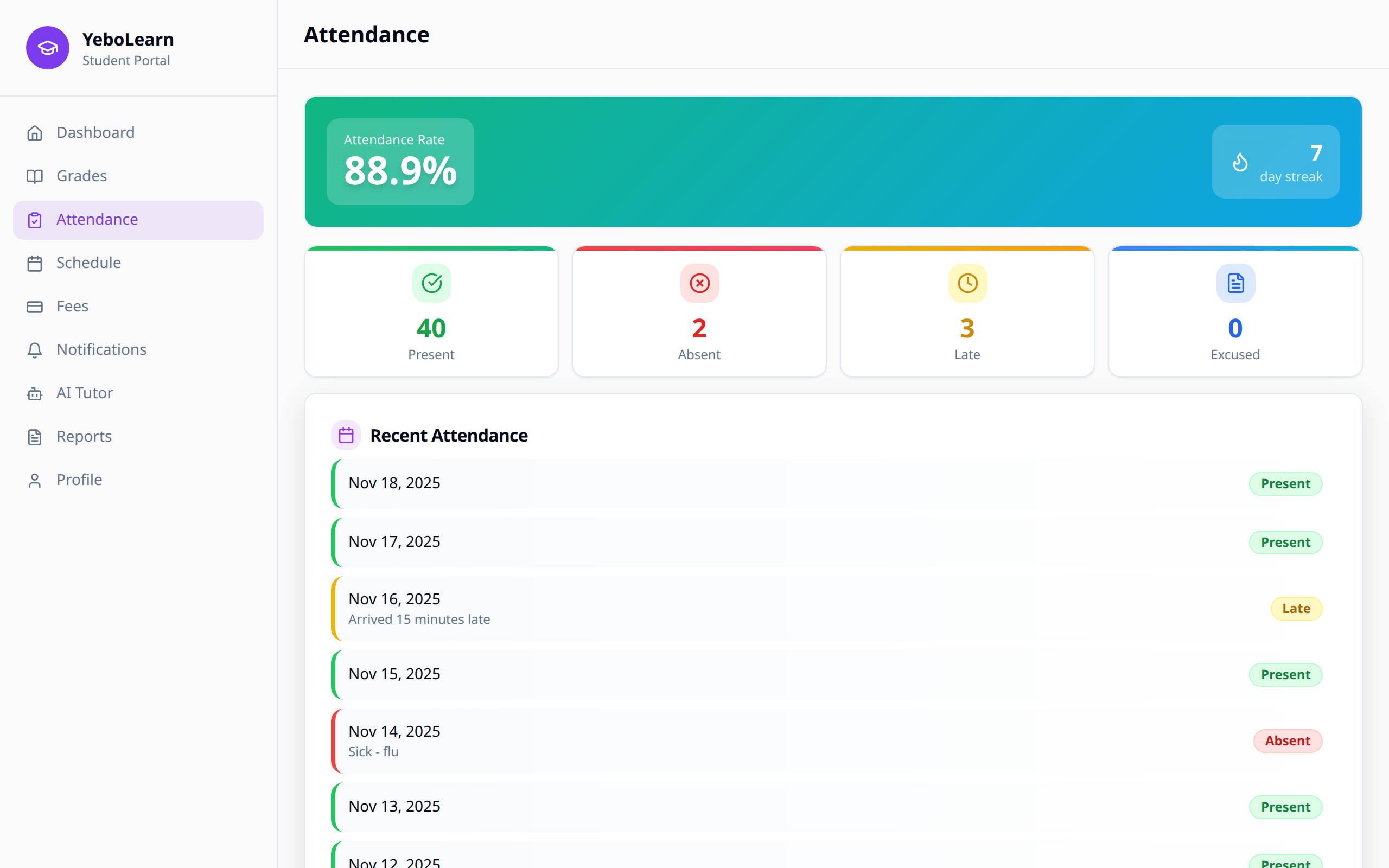
Attendance Overview
Summary Statistics
At the top of the page, you'll see:
- Total days - Number of school days in the term
- Days present - Days you attended
- Days absent - Days you missed
- Attendance rate - Your percentage of attendance
Attendance Status Types
| Status | Description | Icon |
|---|---|---|
| Present | You attended the class/day | Green checkmark |
| Absent | You missed the class/day | Red X |
| Late | You arrived after the scheduled time | Yellow clock |
| Excused | Approved absence (medical, etc.) | Blue note |
Viewing Attendance Records
Calendar View
View your attendance on a monthly calendar:
- Color-coded days show your status
- Click any day to see details
- Navigate between months
List View
See attendance as a chronological list:
- Date and day of week
- Status for each class/period
- Any notes or remarks from teachers
Attendance by Subject
View attendance broken down by subject:
- See which classes you've missed
- Identify patterns in specific subjects
- Track improvement over time
Understanding Your Attendance Rate
Your attendance rate affects:
- Academic standing - Some schools have minimum requirements
- Exam eligibility - Low attendance may affect exam access
- Grades - Some subjects include attendance in grading
- Reports - Attendance appears on academic reports
WARNING
Most schools require at least 75-80% attendance. Check your school's policy.
Attendance Alerts
The system may notify you when:
- Your attendance drops below a threshold
- You have consecutive absences
- You're approaching the minimum requirement
Requesting Excused Absences
If you need to miss school:
- Inform your school in advance when possible
- Provide documentation (medical note, etc.)
- Your school admin will mark the absence as "Excused"
- Excused absences may not count against your attendance rate
Tips for Maintaining Good Attendance
- Set reminders - Use calendar alerts for class times
- Check schedule - Review your timetable daily
- Communicate - Inform teachers if you must be absent
- Make up work - Catch up on missed classes promptly
- Monitor trends - Check your attendance weekly