
Dashboard
The Dashboard is your home screen in the Students App, providing a quick overview of your academic status and recent activities.
Overview
When you log in, the Dashboard displays key information at a glance:
- Academic summary - Your current grades and performance
- Attendance status - Recent attendance records
- Upcoming schedule - Today's and tomorrow's classes
- Recent notifications - Important updates from your school
- Quick actions - Fast access to common tasks
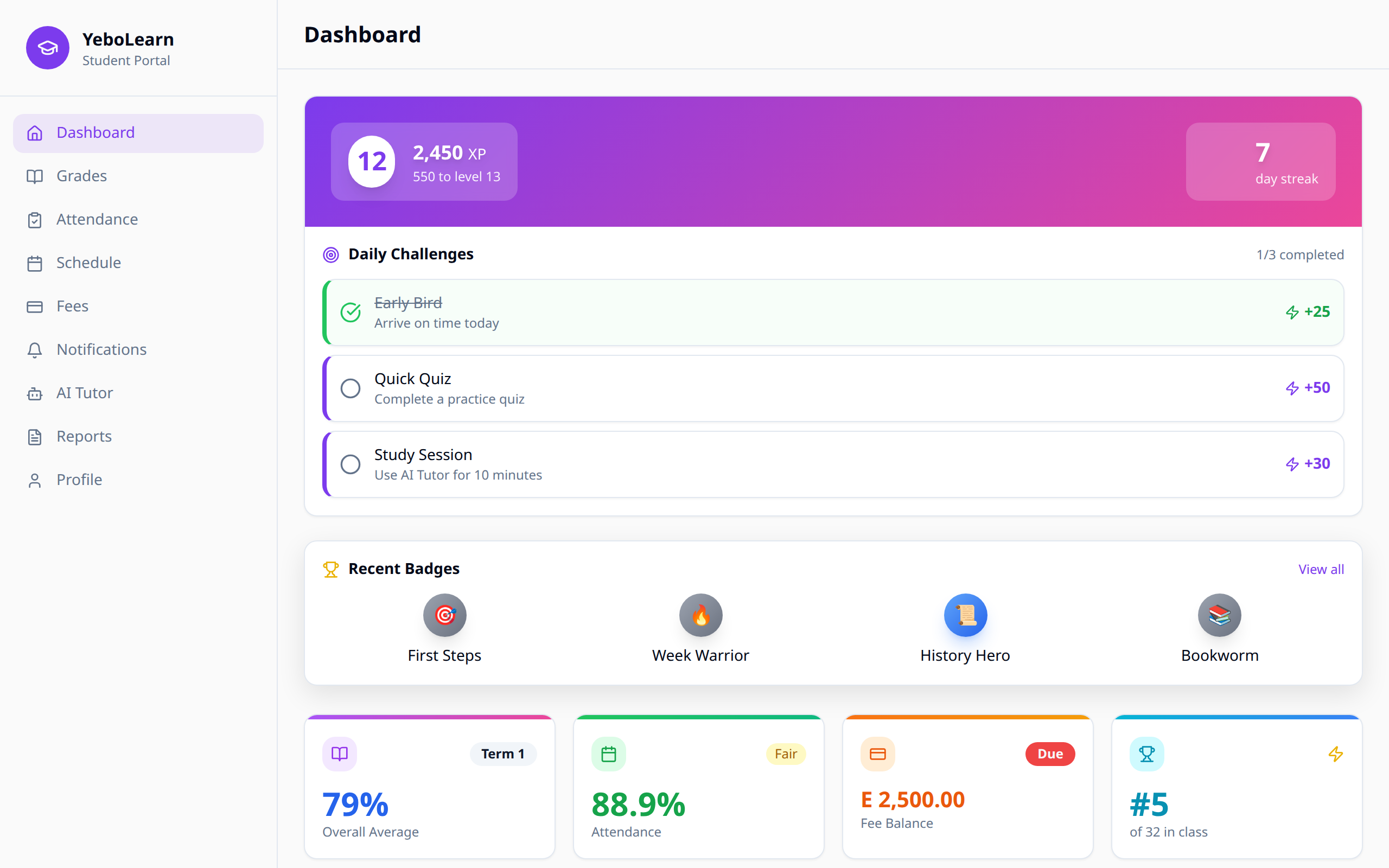
Dashboard Sections
Academic Summary Card
This section shows:
- Your current overall grade/GPA
- Performance trend (improving/stable/declining)
- Number of subjects enrolled
- Recent grade updates
Attendance Overview
View your attendance at a glance:
- Attendance percentage for the current term
- Days present vs. days absent
- Recent attendance records
Today's Schedule
See what's coming up:
- Current and upcoming classes for today
- Class times and locations
- Teacher names
Notifications Preview
Stay informed with:
- Latest announcements from your school
- Grade updates
- Fee reminders
- Important deadlines
Quick Actions
The Dashboard provides quick access buttons for common tasks:
| Action | Description |
|---|---|
| View Grades | Jump directly to your grades page |
| Check Schedule | See your full timetable |
| Pay Fees | Access fee payment portal |
| AI Tutor | Start a learning session |
Customization
Some dashboard elements can be customized:
- Reorder cards by preference
- Show/hide specific sections
- Set notification preferences
Tips for Using the Dashboard
- Check daily - Make it a habit to review your dashboard each morning
- Act on notifications - Don't ignore important updates
- Monitor trends - Keep an eye on your academic and attendance trends
- Use quick actions - Save time with the shortcut buttons